What is n8n?
Your complete introduction to the open-source workflow automation platform — what it does, how it works, and why it matters.
Your team does the same things over and over again.
Every business runs on repetitive tasks — copying data between systems, sending follow-up emails, generating reports, updating spreadsheets. Humans are expensive. Errors are costly. And the work never stops.
Manual Data Entry
Copying data from one app to another, reformatting, updating records by hand.
Repetitive Processes
The same sequence of steps, day after day — send email, update CRM, file document.
Human Errors
Typos, missed steps, forgotten follow-ups. The more manual the process, the more it breaks.
n8n automates the work so you don't have to.
n8n (pronounced "n-eight-n") is an open-source, visual workflow automation platform. You connect apps, define logic, and let it run — on your schedule, triggered by events, or on demand.
400+ Integrations
Gmail, Slack, Google Sheets, PostgreSQL, Notion, Stripe, HubSpot, and hundreds more. If it has an API, n8n can connect to it.
Built-in AI Nodes
Native LangChain-based AI nodes. Build AI agents, chat chains, vector stores, and RAG pipelines — visually.
Self-Hostable
Run it on your own server. Your data stays with you. No per-execution pricing. No vendor lock-in.
Think in nodes and connections.
A workflow is a series of steps. Each step is a node. Nodes are connected together, and data flows from one to the next — like a pipeline.
💡 Key Insight
If you've used Make.com (Integromat), this will feel familiar. The mental model is the same — trigger → process → action. n8n just gives you more control, more power, and the option to own everything.
n8n in the automation landscape.
There are several workflow automation platforms. Here's how n8n stands apart.
| Feature | Zapier | Make.com | Power Automate | n8n |
|---|---|---|---|---|
| Open source | No | No | No | Yes |
| Self-hostable | No | No | No | Yes |
| Native AI / LLM nodes | Limited | Limited | Via Copilot | Full |
| Custom code | Limited | JS module only | Expressions only | Full JS & Python |
| Pricing | Per task | Per operation | Per flow / user | Free (self-host) |
| Data residency | Cloud only | Cloud only | Microsoft cloud | Your choice |
| Visual builder | Yes | Yes | Yes | Yes |
Your data. Your rules. Your budget.
Self-hosting n8n isn't just a technical choice — it's a business decision. Here's why it matters.
☁️ Cloud / SaaS
- Your data flows through third-party servers
- Pay per execution or per operation
- Vendor decides the pricing, features, and limits
- Limited custom code capabilities
- Instant setup, no maintenance needed
🏠 Self-Hosted n8n
- Data never leaves your infrastructure
- Unlimited executions — zero marginal cost
- Full control over versioning, uptime, and access
- Install any npm package, run any code
- You manage Docker, updates, and backups
🎯 Bottom Line
For SMEs running 10+ workflows processing sensitive data (client info, financials, internal ops), self-hosting pays for itself within weeks — both in cost savings and data sovereignty.
From zero to running in 4 steps.
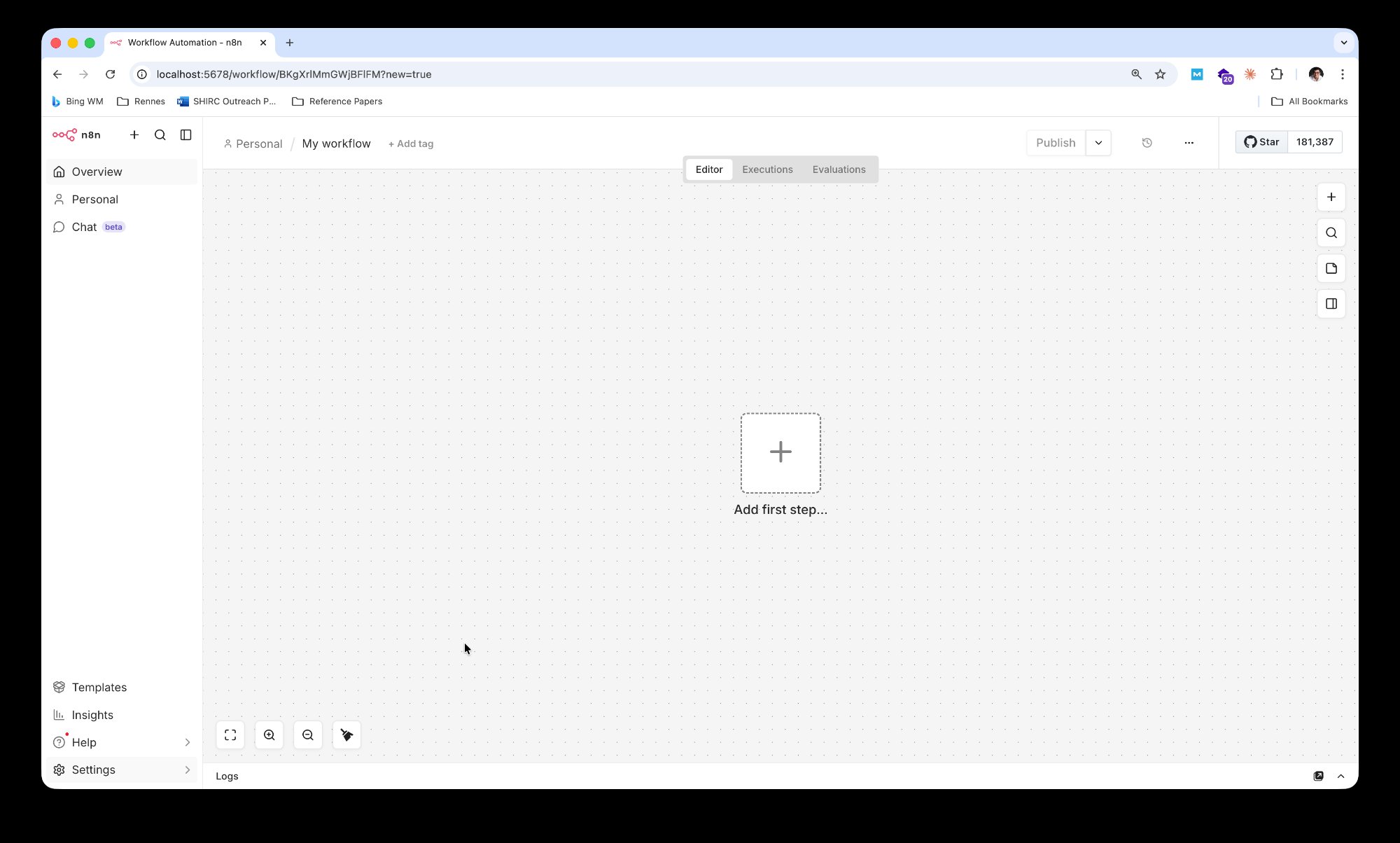
Here's exactly what the self-hosting setup looks like on your machine — from Docker to a working n8n instance.
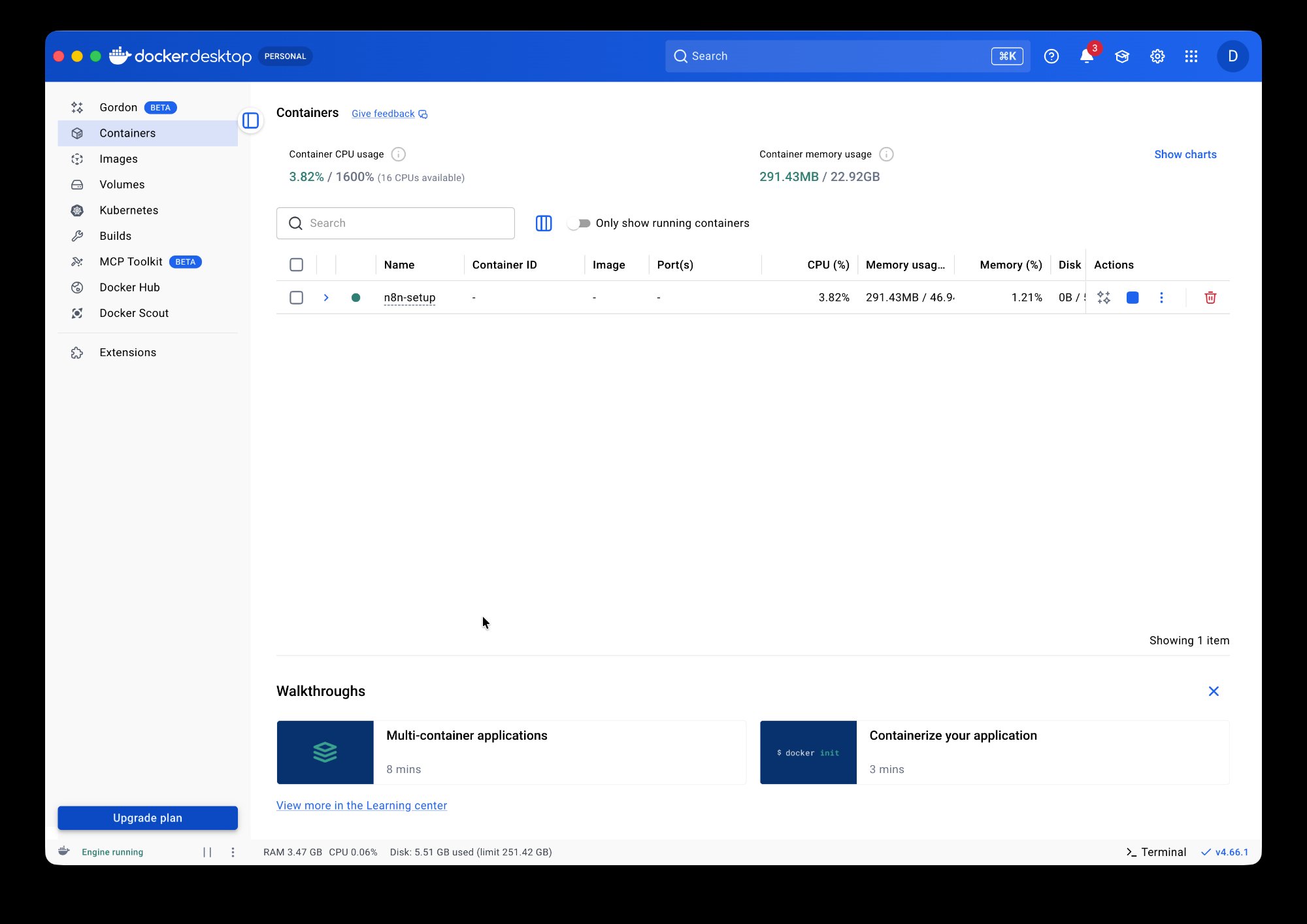
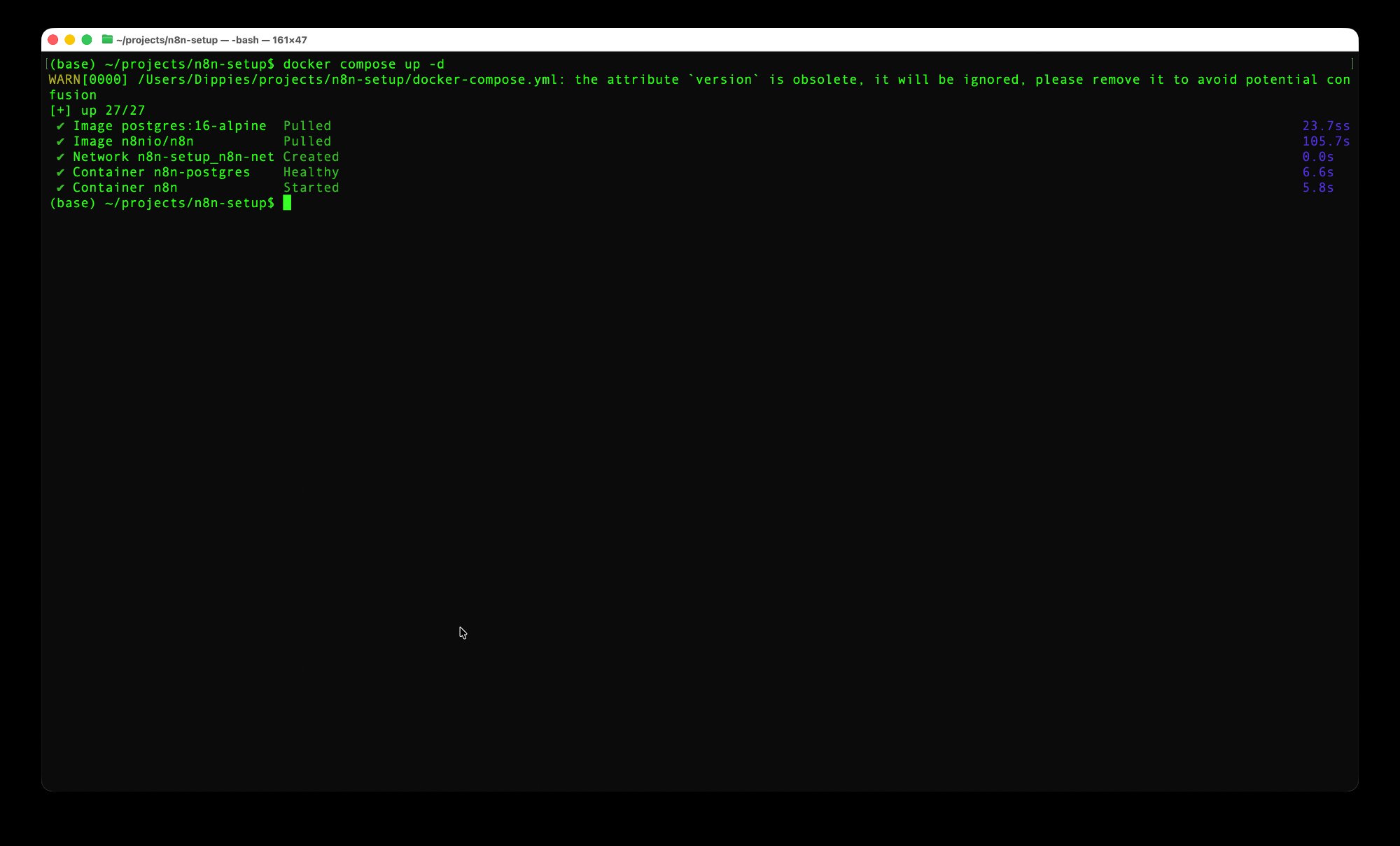
docker compose up -d — images pulled, network created, containers started.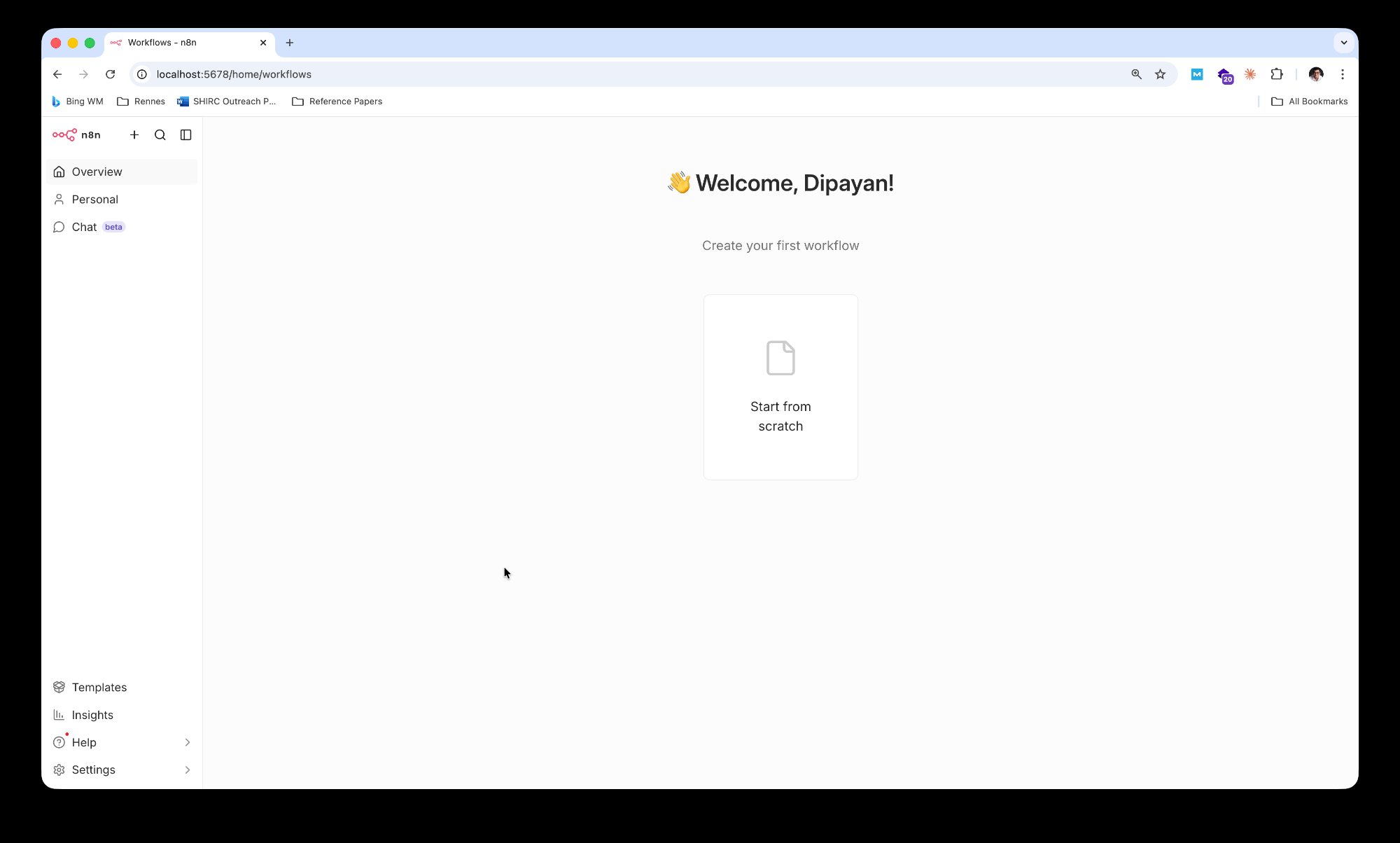
10 terms to remember.
Master these and you'll understand any n8n conversation.
{{ }} syntax — referencing data from previous nodes.New lead: {{ $json.name }} — n8n replaces it with the actual name.Three ways to run n8n.
Choose based on your goal — learning, building, or deploying.
n8n Cloud
Sign up, start building. No setup needed. Free trial available. Best for trying it out quickly.
Docker (Self-Host)
Run on your own machine with Docker Compose. Full control, unlimited executions, your data stays local.
npm Install
Install globally via npm. Simpler but harder to manage. Uses SQLite by default. Good for quick experiments.
What can you build with n8n?
Here are real-world automations people build every day.
📧 Email → AI → CRM
Incoming emails are read by an AI agent, classified, summarized, and logged in your CRM — automatically.
📊 Weekly Report Generator
Every Monday, pull data from 4 sources, build a summary, and email a dashboard to leadership.
🔔 Competitor Monitor
Scrape competitor pricing pages daily, detect changes, and post alerts to Slack with a summary.
📝 Content Pipeline
Topic → AI-generated draft → human review queue → formatted post → scheduled to CMS and social media.
🎫 Support Ticket Triage
New tickets are classified by AI, assigned to the right team, and auto-replied with relevant docs.
💰 Invoice Processing
PDF invoices are extracted, matched to purchase orders, and pushed to your accounting system.
Now you know what n8n is.
Let's learn how to use it.
In this presentation, you learned:
✓ n8n is an open-source workflow automation tool
✓ It works with nodes, connections, and triggers
✓ You can self-host it for free using Docker
✓ Self-hosting setup: 4 steps from zero to running
✓ It has native AI/LLM integration built in
✓ How n8n compares to Zapier, Make.com & others
✓ 10 key terms that power every conversation